Usage Credits
Last updated: June 26, 2026Usage credits let you keep working on CodeCraft after you've used up the usage included in your plan. This page explains how usage credits work and how to buy them.
About Usage Credits
- Your usage is measured in credits — every request you make spends credits, not money directly.
- Subscription credits come with your plan and reset each billing cycle. Top-up credits are the ones you buy yourself; they don't expire and are spent once you reach your subscription usage limit.
- Usage credits are converted at 1 CNY = 100 usage credits. Overseas payments use the admin USD-CNY exchange rate first; for example, when the admin rate is 6.6, 1 USD = 660 usage credits.
- In Settings → Usage you can turn “Use additional usage” on or off and set a monthly usage limit to cap how many credits you spend each month. With it on, CodeCraft keeps working past your plan's included usage by spending your top-up credits.
How to buy usage credits
You can top up anytime from Settings → Usage in just a few steps.
- 1Sign in to CodeCraft
Open CodeCraft and sign in with your account to land in your workspace.

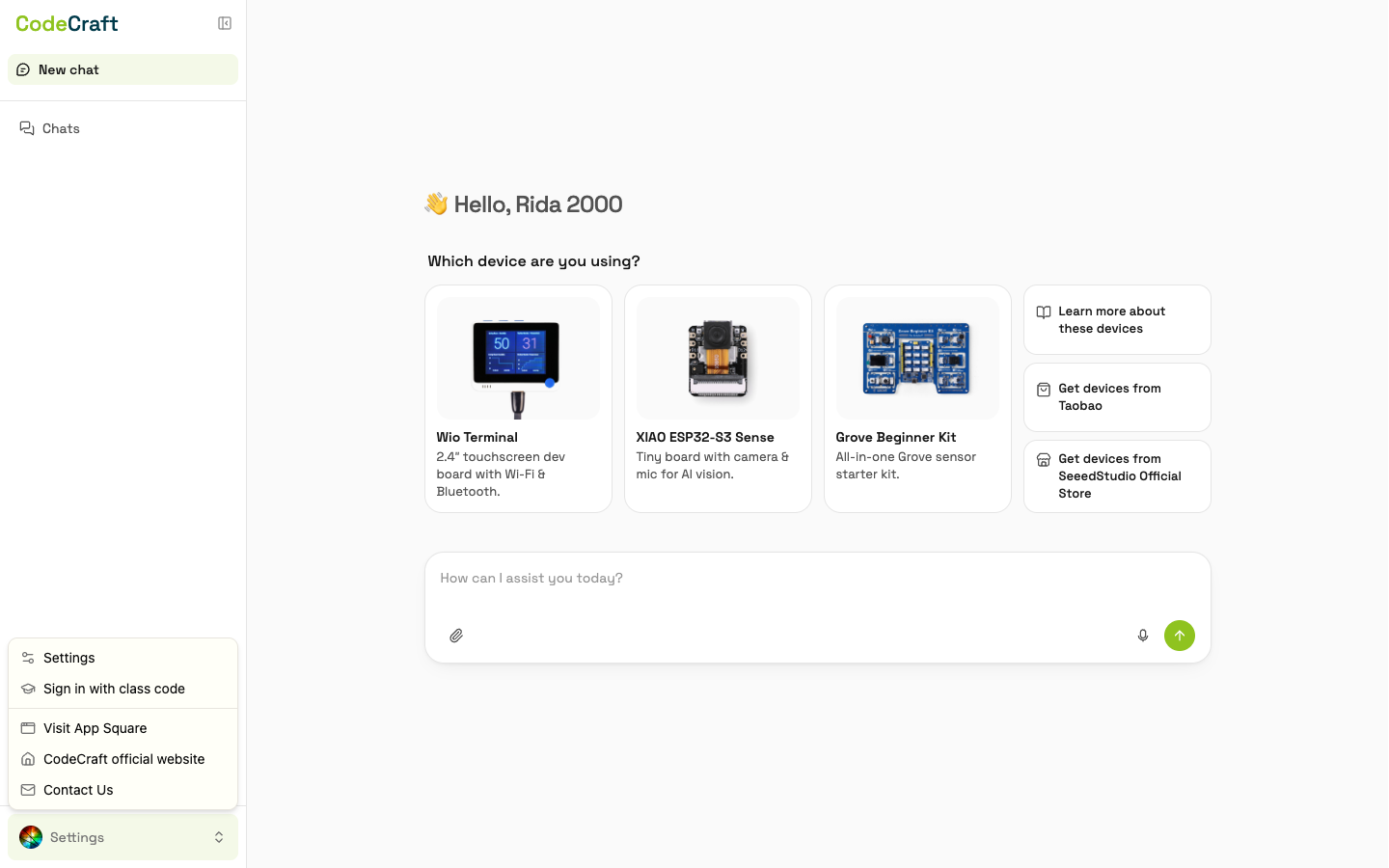
- 2Open Settings
In the bottom-left of the workspace, click your avatar and choose Settings.
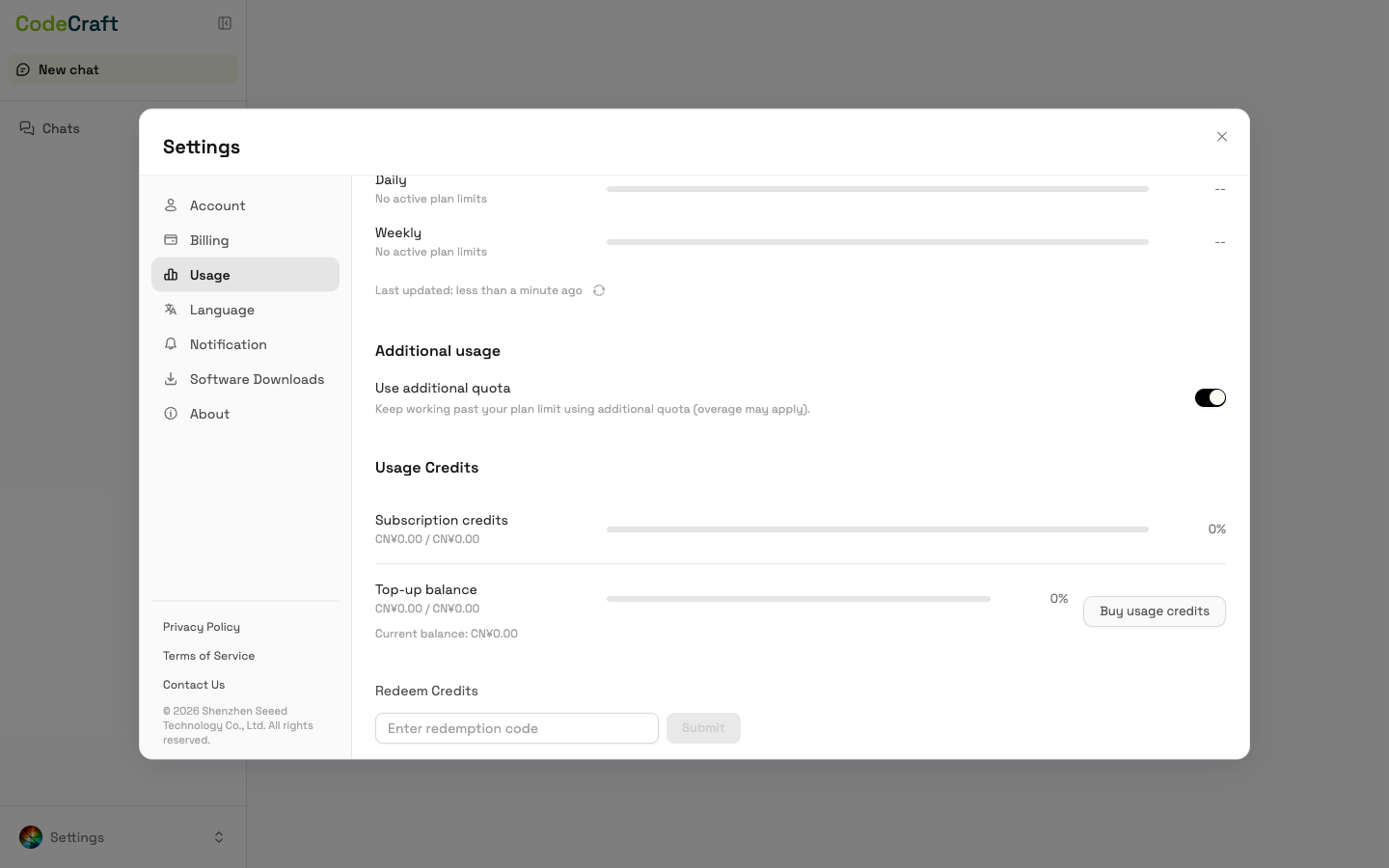
- 3Open the Usage tab
In the Settings panel, open the Usage tab and click Buy usage credits in the Usage Credits section.
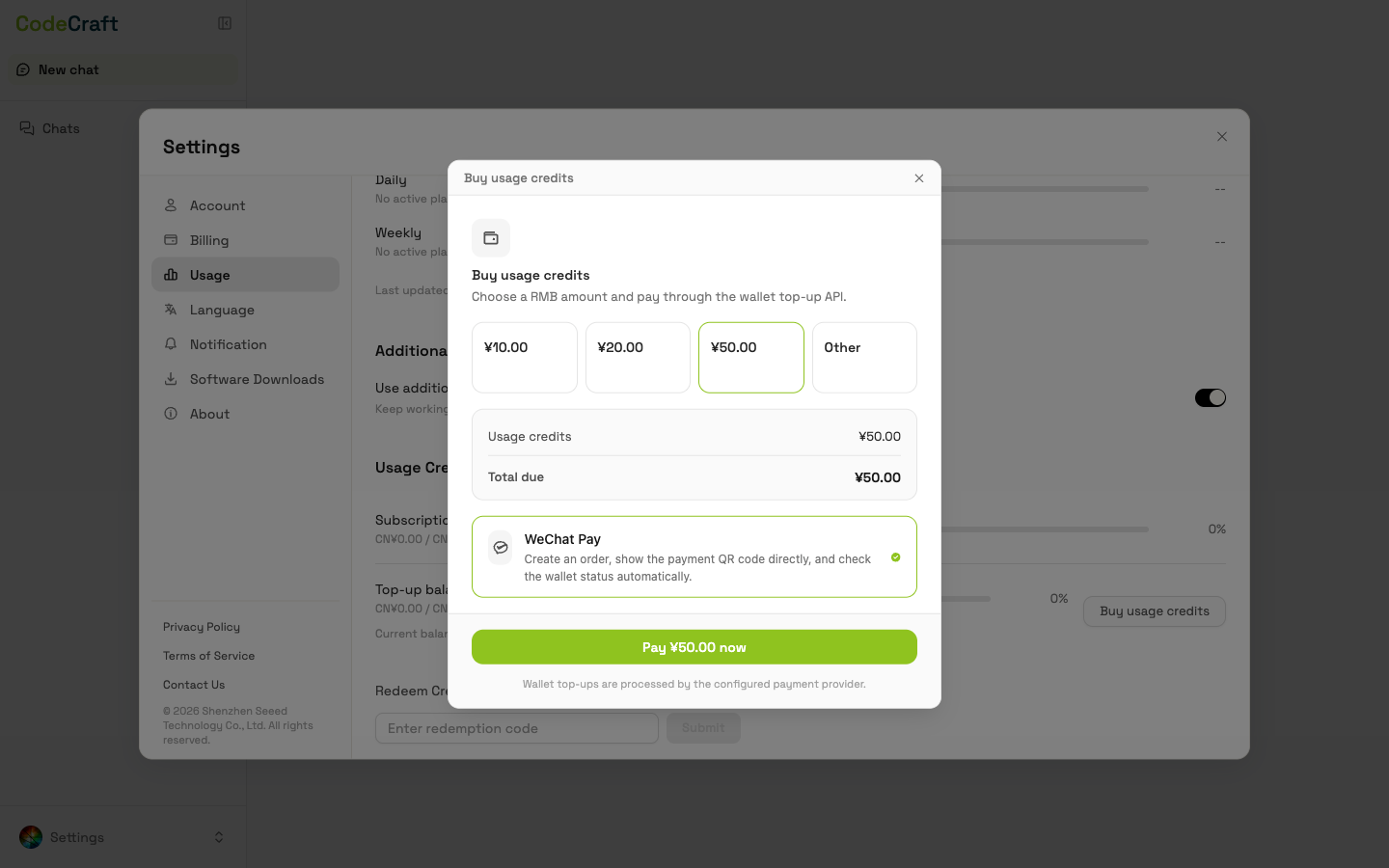
- 4Choose a top-up tier and pay
Pick a top-up tier and the page will show exactly how many usage credits you will receive. Usage credits are converted at 1 CNY = 100 usage credits; after payment succeeds, the usage credits are added to your account immediately.