How to Redeem a Code
Last updated: June 24, 2026This guide runs you through the process of code redemption on CodeCraft. A redemption code grants either a plan membership or usage credits.
Before you start
- You need a SenseCraft account. No account yet? .
- You need a valid redemption code. You can purchase one from the Seeed Official Store or Taobao.
Important note
- Plan durations cannot be stacked — please redeem a new plan only after your current one expires.
- Each redemption code can be used only once, and redemption cannot be cancelled.
- This is a digital product, we respectfully decline any order refunds once the code is redeemed. See terms.
Access the settings panel
These steps are the same for both plan and usage credit redemption.
- 1Sign in to CodeCraft
Open CodeCraft and sign in with your account; you'll land in your workspace. You can always return to your workspace from the header.

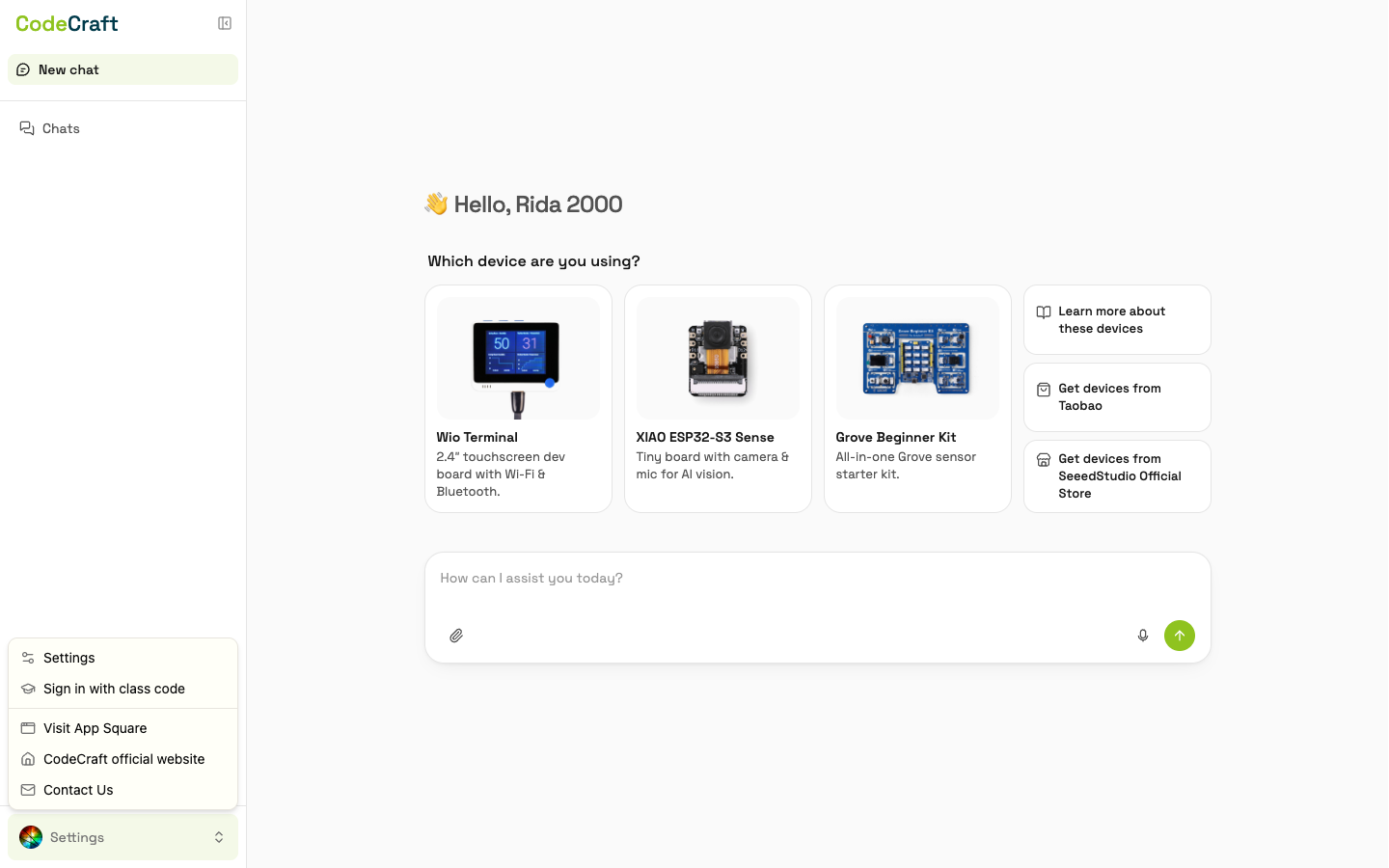
- 2Open Settings
In the bottom-left of the workspace, click your avatar (or the menu button) and choose Settings.
Choose which type of code you are redeeming
A plan is a membership that unlocks more features and higher limits for a fixed period of time.
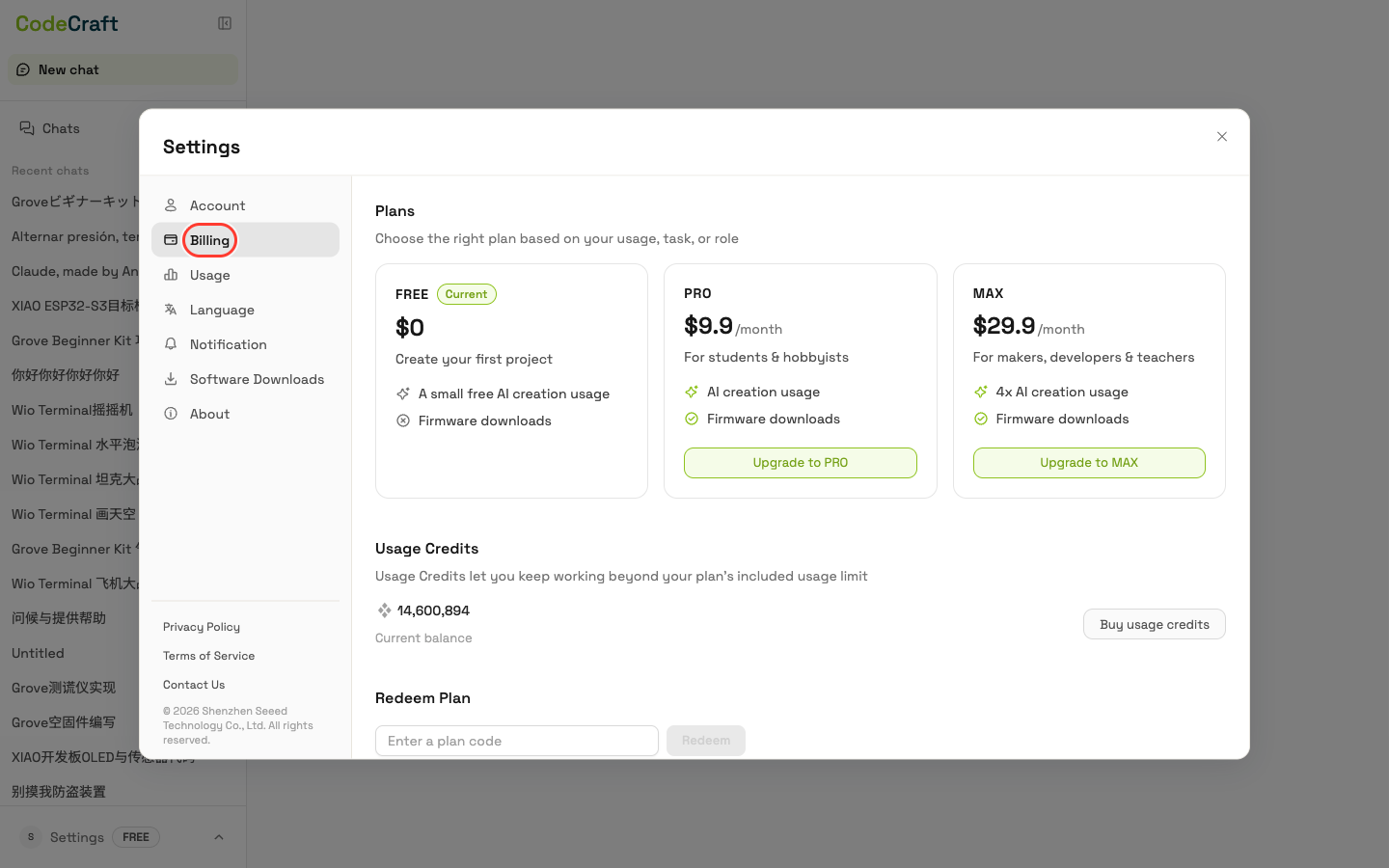
- 3Open the Billing tab
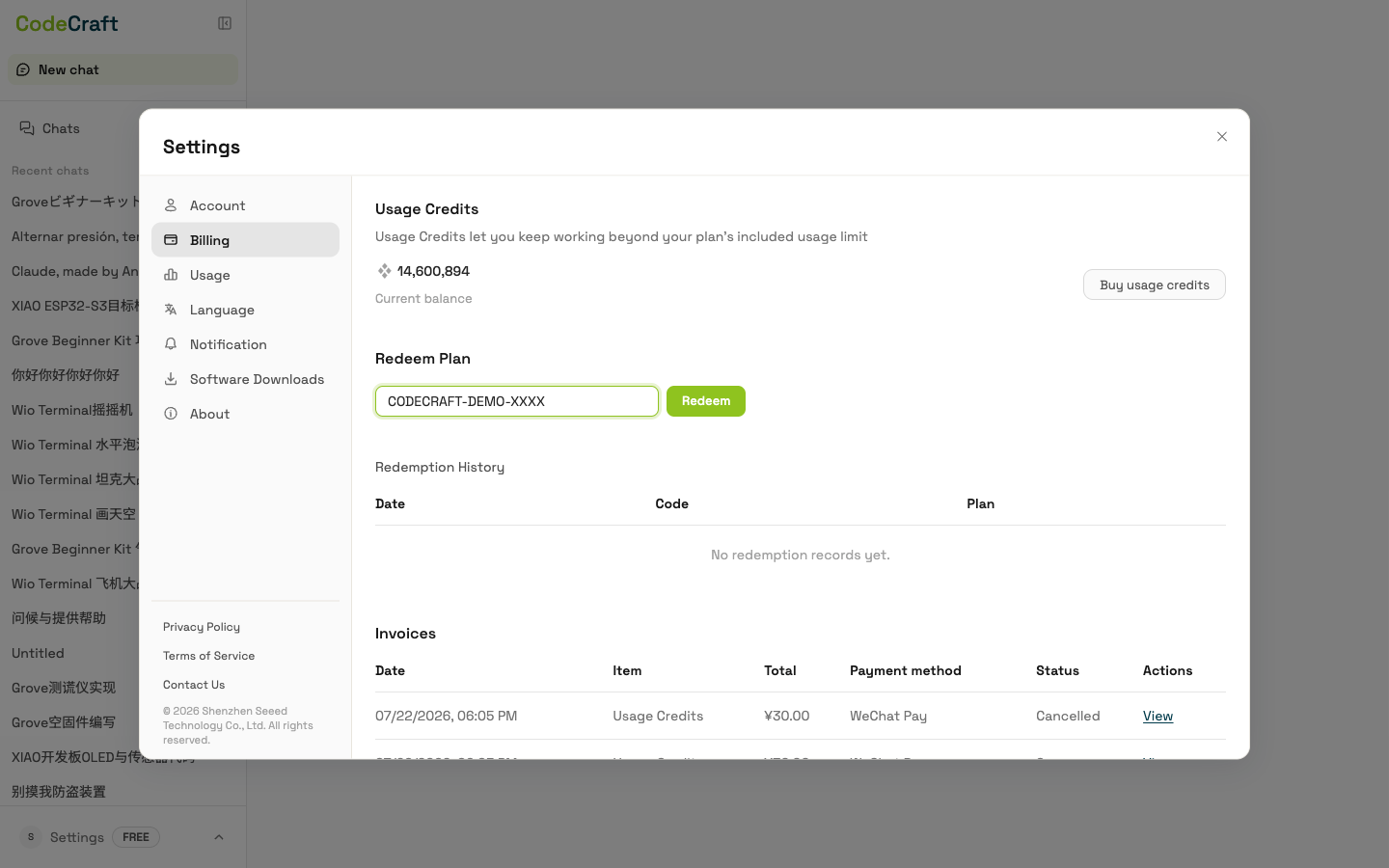
In the Settings panel, open the Billing tab. You'll see your plans, your balance, and the Redeem Code section.
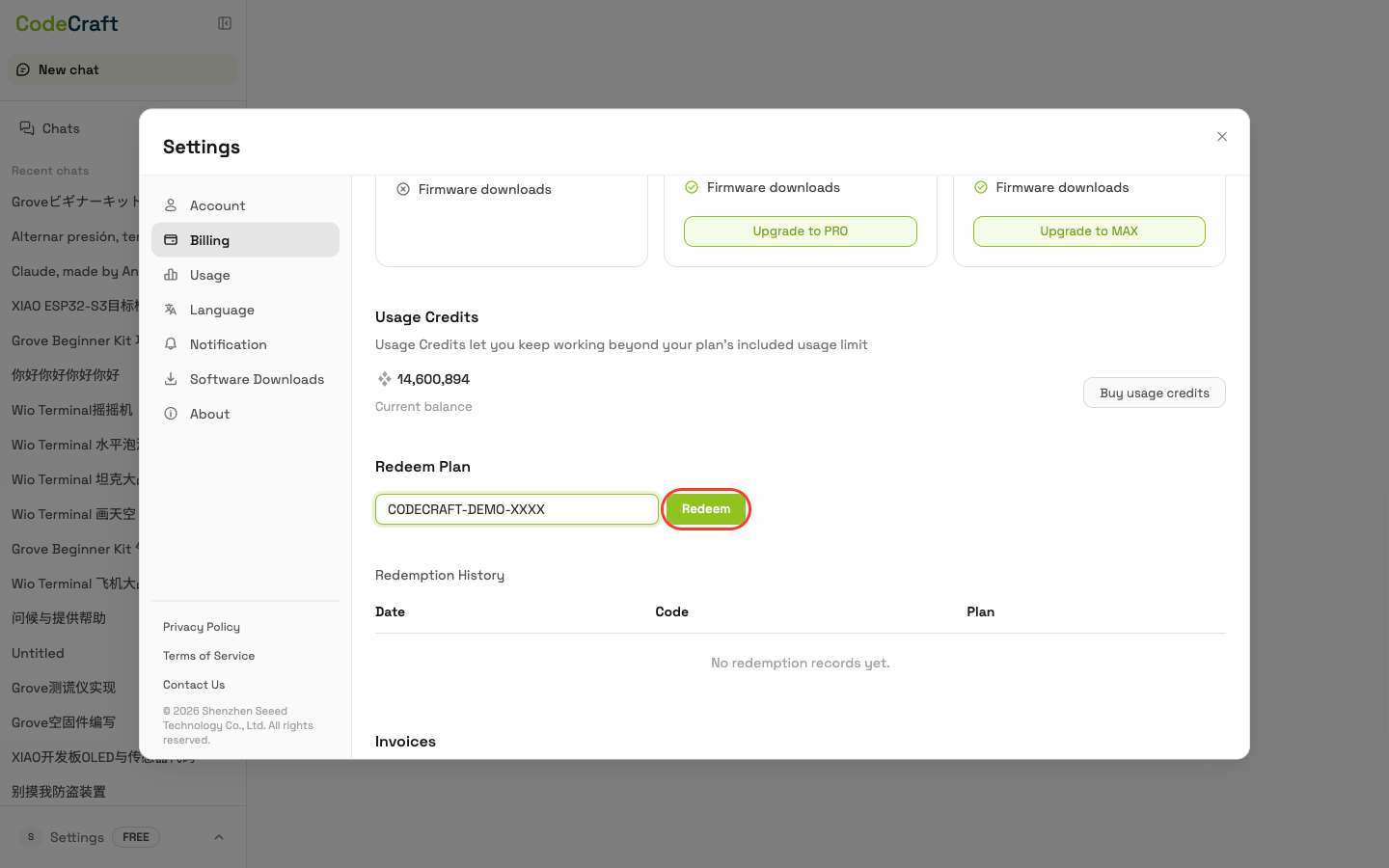
- 4Enter your code and click Redeem
In the Redeem Code field, enter your code, then click Redeem.
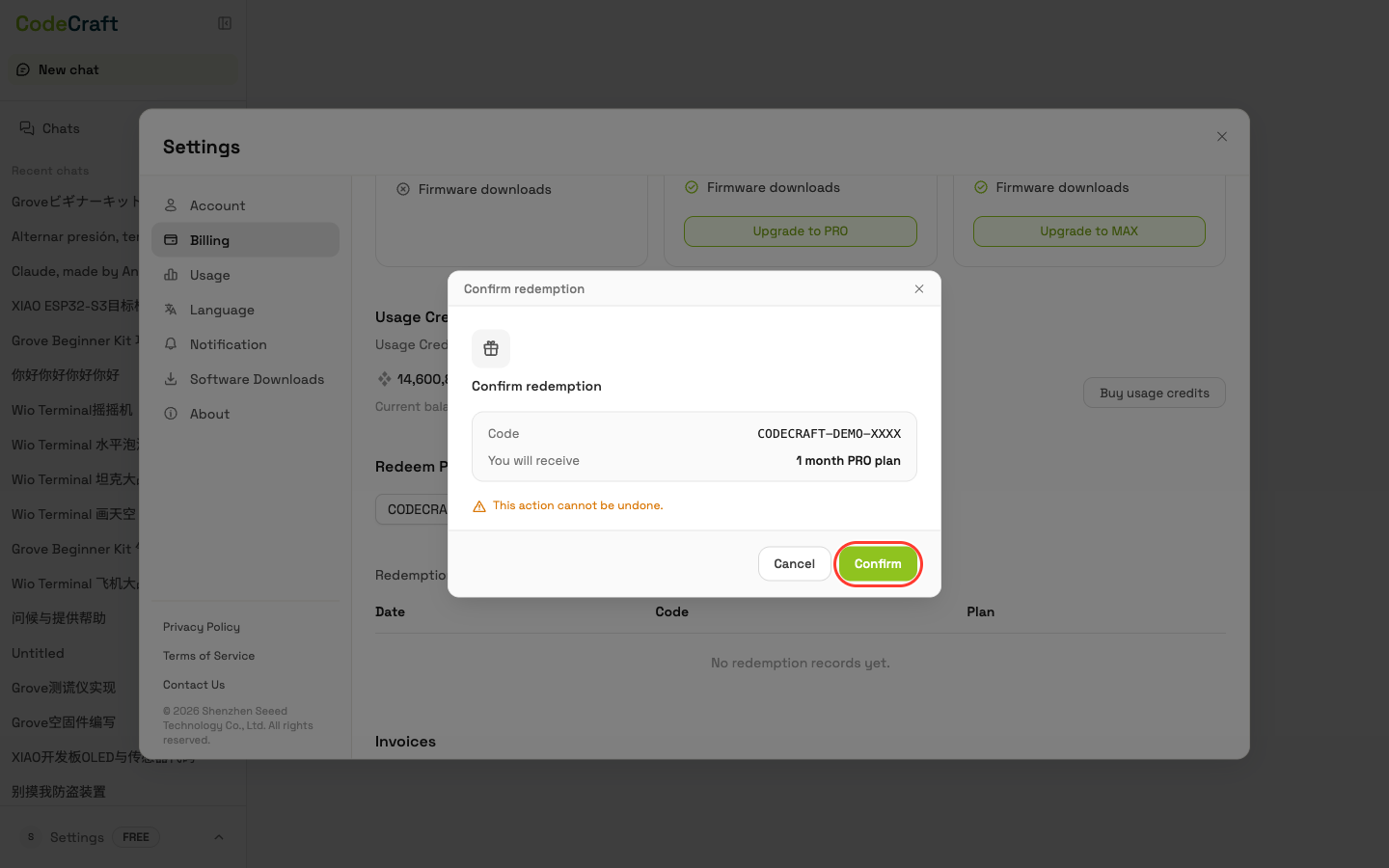
- 5Confirm
A confirmation dialog shows what the code grants — review it and confirm to complete the redemption.
- 6Plan activated
On success, your plan updates immediately, and the redemption appears in the history below.
FAQ
- 1. How do I know if my code is for a plan or usage credits?
- The two code types are different and are redeemed in different places. A plan code looks like
xxxxxxxx-xxxand is redeemed under Settings → Billing (Redeem Code). A usage-credit code looks likexxxxxxxxxxxxxxxxxxxxxxxxxxxxxxxxand is redeemed under Settings → Usage (Redeem Credits). - 2. Where do I get a redemption code?
- Codes can be purchased from the Seeed Official Store or Taobao, and may also come from CodeCraft promotions or partners.
- 3. My code doesn't work — what should I check?
- Enter the code exactly as shown — for a plan code, include the hyphen (-) — with no extra spaces, and check it hasn't already been used. If it still fails, email us at iot@seeed.cc.
- 4. Can I redeem more than one code?
- Each code can be redeemed only once. Plan durations can't be stacked, so redeem a new plan only after your current one expires; usage-credit codes simply add to your balance and can be redeemed anytime.